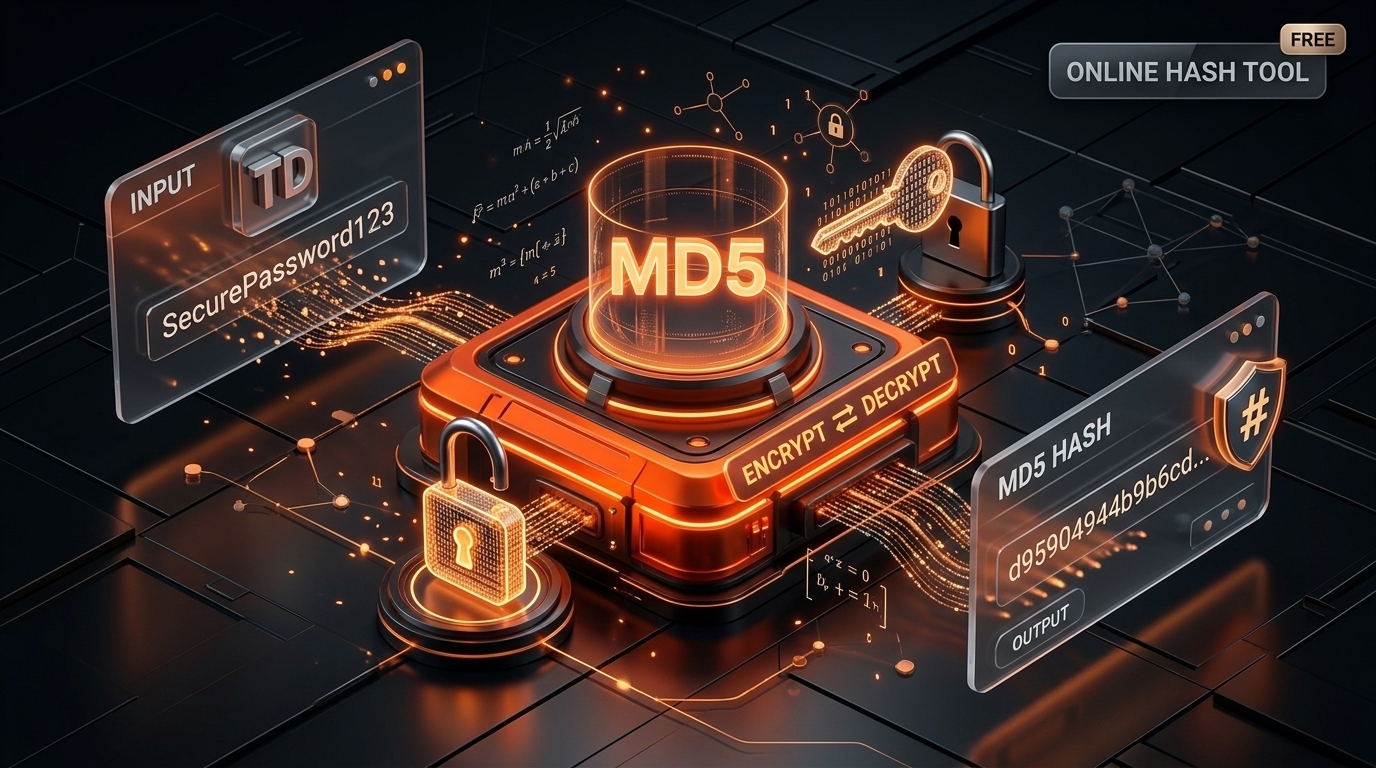
MD5 Encrypt and Decrypt Online: Generate MD5 Hashes Easily with Tools Mystro
Need to Generate or Check an MD5 Hash?
Working with hash values can seem complicated, especially when you need to convert text into a hash, verify an existing value, or understand what an MD5 string represents.
Whether you are a developer, student, website owner, or cybersecurity learner, an online MD5 tool can simplify these tasks without requiring you to write code.
MD5 is a widely recognized hashing algorithm that converts input data into a fixed-length output called a hash or message digest. It is commonly encountered in programming tutorials, legacy applications, file verification workflows, and technical testing.
But there is one important thing to understand: MD5 is a hashing algorithm, not an encryption algorithm. You cannot directly reverse an MD5 hash to recover its original input.
So, how does an MD5 encrypt and decrypt tool work?
In this guide, you will learn how MD5 hashing works, how to generate an MD5 hash online, what MD5 decryption actually means, and how the Tools Mystro MD5 Encrypt & Decrypt Tool can help you perform common hash-related tasks.
What Is MD5 Hashing?
MD5 stands for Message-Digest Algorithm 5. It is a hash function that accepts input data of varying lengths and produces a fixed-length, 128-bit hash value.
When represented in hexadecimal format, an MD5 hash contains 32 characters.
For example, the text abc produces this MD5 hash:
900150983cd24fb0d6963f7d28e17f72
If you change the input, even slightly, the resulting hash will generally look completely different.
This makes MD5 useful for understanding how hashing transforms information into a fixed-length fingerprint.
How does MD5 work?
The basic process is straightforward:
- You provide text or other supported input.
- The MD5 algorithm processes the input data.
- The algorithm produces a 128-bit digest.
- The digest is displayed as a 32-character hexadecimal string.
The output length remains the same regardless of whether the input is a short word or a much longer sentence.
For example, a short test string and a lengthy paragraph will both produce MD5 digests of 32 hexadecimal characters.
However, the fixed output length does not make MD5 secure. Researchers have demonstrated important weaknesses in the algorithm, particularly its resistance to collisions.
What Is an MD5 Encrypt and Decrypt Tool?
An MD5 encrypt and decrypt tool is an online utility designed to generate MD5 hashes from input text and help users investigate existing hash values.
Although these tools often use the terms encrypt and decrypt, MD5 does not perform reversible encryption.
The two operations are fundamentally different.
MD5 hashing: Takes input and generates a fixed-length digest.
MD5 hash lookup: Attempts to identify the original input by checking whether a matching hash is already known.
An MD5 lookup tool cannot simply reverse the algorithm. If a matching value is not found, the original input may remain unknown.
This distinction is important when choosing an online MD5 tool and interpreting its results.
Try the Tools Mystro MD5 Encrypt & Decrypt Tool
The Tools Mystro MD5 Encrypt & Decrypt Tool provides a convenient way to generate MD5 hashes and check whether an existing hash can be matched to a known value.
The tool's lookup functionality attempts to find matches in public databases. If a matching entry is available, the associated original text may be returned. If no match is found, the original text cannot be recovered through that lookup.
You can use it when learning about hashing, testing sample strings, or investigating known MD5 values.
How to Generate an MD5 Hash Online
Generating an MD5 hash is straightforward with an online hash tool. You do not need to write a program or install specialized software for a simple text-hashing task.
Step 1: Open the MD5 Tool
Visit the Tools Mystro MD5 Encrypt & Decrypt Tool to access the online utility.
Step 2: Enter Your Text
Type or paste the text you want to hash into the appropriate input field.
For example, you could enter:
Hello World
For consistent results, make sure the input contains the exact characters you intend to process. Spaces, capitalization, and punctuation can affect the resulting hash.
Step 3: Generate the MD5 Hash
Use the tool's available hashing or encryption control to process your input.
The tool generates an MD5 digest that you can inspect or copy for your testing or development task.
Step 4: Copy the Hash
Copy the generated hash and use it wherever an MD5 value is appropriate.
You may need it for a programming exercise, a legacy system that expects MD5, or a demonstration of how hash functions work.
Important: Do not use MD5 to store passwords or protect sensitive information. Its known security weaknesses make it unsuitable for modern security-sensitive applications.
How to Decrypt an MD5 Hash Online
One of the most common misunderstandings about MD5 is that it can be decrypted in the same way as an encrypted message.
It cannot.
Hashing is designed to produce a digest without storing the original input in a reversible form. MD5 does not provide a decryption key or a built-in process for converting the digest back into the original text.
However, some online tools offer hash lookup functionality.
How does MD5 hash lookup work?
Suppose you have an MD5 hash and want to discover the text that generated it.
A lookup tool may compare the hash against previously recorded hash-value pairs. If a matching entry exists, it can display the associated input.
For example, the MD5 hash of abc is:
900150983cd24fb0d6963f7d28e17f72
A lookup service that has this known hash recorded may return abc.
But consider a hash generated from a random, previously unseen string. If the service has no matching entry, it may not be able to identify the original text.
There is no guarantee that a lookup will succeed.
Can every MD5 hash be decrypted?
No. A lookup tool cannot guarantee recovery of the original input.
Even if a candidate produces the same digest, MD5's collision weaknesses mean that a matching digest does not always prove the candidate was the exact original input.
For that reason, treat any recovered text as a possible match rather than definitive proof of the original input.
Use the Tools Mystro MD5 Tool to generate hashes and investigate known values when appropriate.
Common Uses of MD5 Hashing
Although MD5 is no longer appropriate for many security-sensitive applications, you may still encounter it in older software, educational examples, and existing technical workflows.
1. Learning About Hash Functions
MD5 is useful for demonstrating the concept of a hash function.
Students can enter different strings, compare their outputs, and observe how small changes to the input produce different digests.
This makes MD5 a practical starting point for understanding hashing before exploring more modern algorithms.
2. Working with Legacy Applications
Some older applications, file formats, or internal systems may still use MD5 to identify data or produce expected hash values.
A compatible MD5 generator can help developers reproduce these values when maintaining or testing legacy systems.
However, compatibility does not make MD5 suitable for new security-sensitive designs.
3. Checking Existing Hash Values
You may encounter an MD5 digest in a record, software workflow, or technical document.
An MD5 tool can help you generate a comparable digest from known input or investigate whether a hash matches a previously recorded value.
When verifying downloaded files, remember that MD5 does not provide strong protection against deliberate tampering. For security-sensitive verification, use a stronger method and a trusted reference value.
4. Comparing Non-Security-Sensitive Data
An MD5 digest can serve as a simple fingerprint in certain non-adversarial workflows.
For example, it may be encountered in legacy systems that identify files or content using hash values.
However, two different inputs can produce the same MD5 digest. Therefore, MD5 should not be treated as a definitive proof that two files are identical when an attacker could manipulate the data.
For security-sensitive applications, choose a suitable modern alternative.
5. Practicing Programming and Technical Testing
Developers may need sample hashes when learning programming libraries, testing outputs, or reproducing results from existing code.
An online MD5 tool makes it easy to produce known examples without writing a hashing function from scratch.
For more secure new applications, developers should select algorithms suited to their requirements rather than defaulting to MD5.
MD5 vs. Encryption: What Is the Difference?
Hashing and encryption are related to data processing, but they serve different purposes.
| Feature | MD5 Hashing | Encryption |
| Main purpose | Generate a fixed-length digest | Protect information from unauthorized access |
| Output | Fixed-length hash | Encrypted data |
| Reversible? | Not directly reversible | Designed to be reversible with the appropriate key |
| Requires a decryption key? | No | Usually yes |
| Typical example | Generate an MD5 digest | Encrypt a private document |
| Suitable for modern password storage? | No | Encryption alone is also not the appropriate password-storage approach |
The key difference is reversibility.
Encryption is designed so authorized parties can recover the original information using the appropriate decryption process. Hashing produces a digest instead.
That is why a tool described as an MD5 decryptor generally relies on known-value lookup or candidate matching rather than actual decryption.
Understanding this difference helps you select the right utility for your task and avoid relying on an unsuitable method for protecting data.
Is MD5 Secure in 2026?
MD5 is considered cryptographically broken for applications that depend on collision resistance.
A collision occurs when two different inputs produce the same hash. Researchers have demonstrated practical attacks that exploit MD5's weaknesses.
This means MD5 should not be used for modern digital signatures, security certificates, or other applications that depend on strong collision resistance.
It should also not be used to store passwords.
Why shouldn't you use MD5 for passwords?
Passwords are especially important because attackers may try to recover them from stolen password databases.
MD5 is fast to calculate, and common or weak passwords can be tested against their hashes relatively easily. Its weaknesses make it unsuitable as a modern password-storage function.
For password storage, use a dedicated password-hashing algorithm such as Argon2id, scrypt, or bcrypt with an appropriate configuration and unique salts.
For modern general-purpose cryptographic hashing, SHA-256 or SHA-3 may be suitable depending on the application. Password storage requires additional safeguards beyond selecting a general-purpose hash function.
Remember: An online MD5 generator is useful for compatible legacy tasks, learning, and testing. It is not a tool for making passwords, confidential messages, or sensitive files secure.
Frequently Asked Questions About MD5 Encrypt and Decrypt
1. How do I generate an MD5 hash online?
Open the Tools Mystro MD5 Encrypt & Decrypt Tool, enter your text, and use the available hashing option to generate the MD5 digest.
2. Can I decrypt an MD5 hash to get the original text?
No. MD5 is a one-way hashing algorithm, not reversible encryption. An online lookup tool may identify the original text if a matching value is known, but recovery is not guaranteed.
3. Is an MD5 hash always 32 characters long?
An MD5 digest is 128 bits long. When represented in its usual hexadecimal format, it contains 32 characters.
4. Is MD5 encryption secure?
MD5 is not suitable for security-sensitive applications that require strong collision resistance. It should not be used for password storage, modern digital signatures, or other applications that depend on strong cryptographic security.
5. What is an MD5 hash generator used for?
An MD5 hash generator converts input data into an MD5 digest. It can be helpful for educational exercises, testing, and legacy compatibility workflows.
6. Can two different texts produce the same MD5 hash?
Yes. This is called a hash collision. MD5's known collision weaknesses are a key reason it should not be used where strong collision resistance is required.
7. Is the Tools Mystro MD5 tool useful for developers?
Yes. It can help developers generate MD5 values for examples, testing, and compatible legacy workflows, as well as investigate hashes through known-value lookup. It should not replace stronger cryptographic methods when security matters.
Conclusion
MD5 remains a familiar hashing algorithm in programming, legacy applications, and educational resources. An online MD5 tool can simplify the process of generating a digest, testing sample text, and investigating whether an existing hash matches a known value.
However, it is important to understand the difference between hashing and encryption. MD5 cannot be directly decrypted, and lookup services can only recover a possible original input when a suitable match is available.
For quick MD5 hashing and lookup, try the Tools Mystro MD5 Encrypt & Decrypt Tool. It provides a convenient starting point for learning about hashes and working with supported MD5-related tasks.
Choose the right algorithm for your needs, verify important results carefully, and use modern security practices whenever data protection is required.